The features that actually matter in a grocery inventory system are the ones tied to the ordering decision itself — accurate stock counts, a trustworthy suggested quantity, supplier-specific scheduling, and a way to review before anything is sent. Everything else — dashboards, integrations, AI branding — is worth evaluating on its own merits, but shouldn't be the deciding factor for an independent store.
Inventory software marketing tends to list dozens of features, which makes every product look comprehensive and none of them easy to actually compare. Below is a criteria-first breakdown, split honestly into what to prioritize and what's safe to treat as a nice-to-have rather than a requirement.
What actually matters
1. A real, sales-aware order quantity calculation. This is the core job. The calculation should account for your actual average daily sales, how many days until the next delivery arrives, and a small safety buffer — not a static reorder point set once and forgotten. Ask any vendor to explain, in plain language, exactly how their suggested quantity is calculated. If the answer is vague ("our AI figures it out"), that's worth treating as a caution flag, not a selling point — you want to be able to audit the number, especially the first few times you use it.
2. Per-supplier cutoff and schedule tracking. Not every supplier orders weekly, and not every supplier has the same lead time. A system that only understands "every Monday" will silently mishandle a fortnightly or monthly order day. Confirm the system can model your suppliers' actual schedules, not a simplified version of them.
3. A review step before anything sends. The suggested quantity should be a starting point a person can see and change — never an auto-fill-and-send. This matters both for practical reasons (a person on the floor knows things a formula doesn't — a delivery already on its way, a promo starting tomorrow) and for basic operational trust in the tool.
4. Silent-by-default alerting. A system that notifies you about every single order state trains you to ignore notifications entirely. Look for alerting that only fires when something actually needs attention — an order at risk of missing its cutoff, or one that's already been missed — not a running commentary on business as usual.
5. Decimal quantity support, if you sell by weight. Butchers, delis, and produce sections order in kilograms or litres, not whole units. If any part of your store sells by weight, confirm the system handles fractional quantities natively rather than forcing everything to round to a whole number.
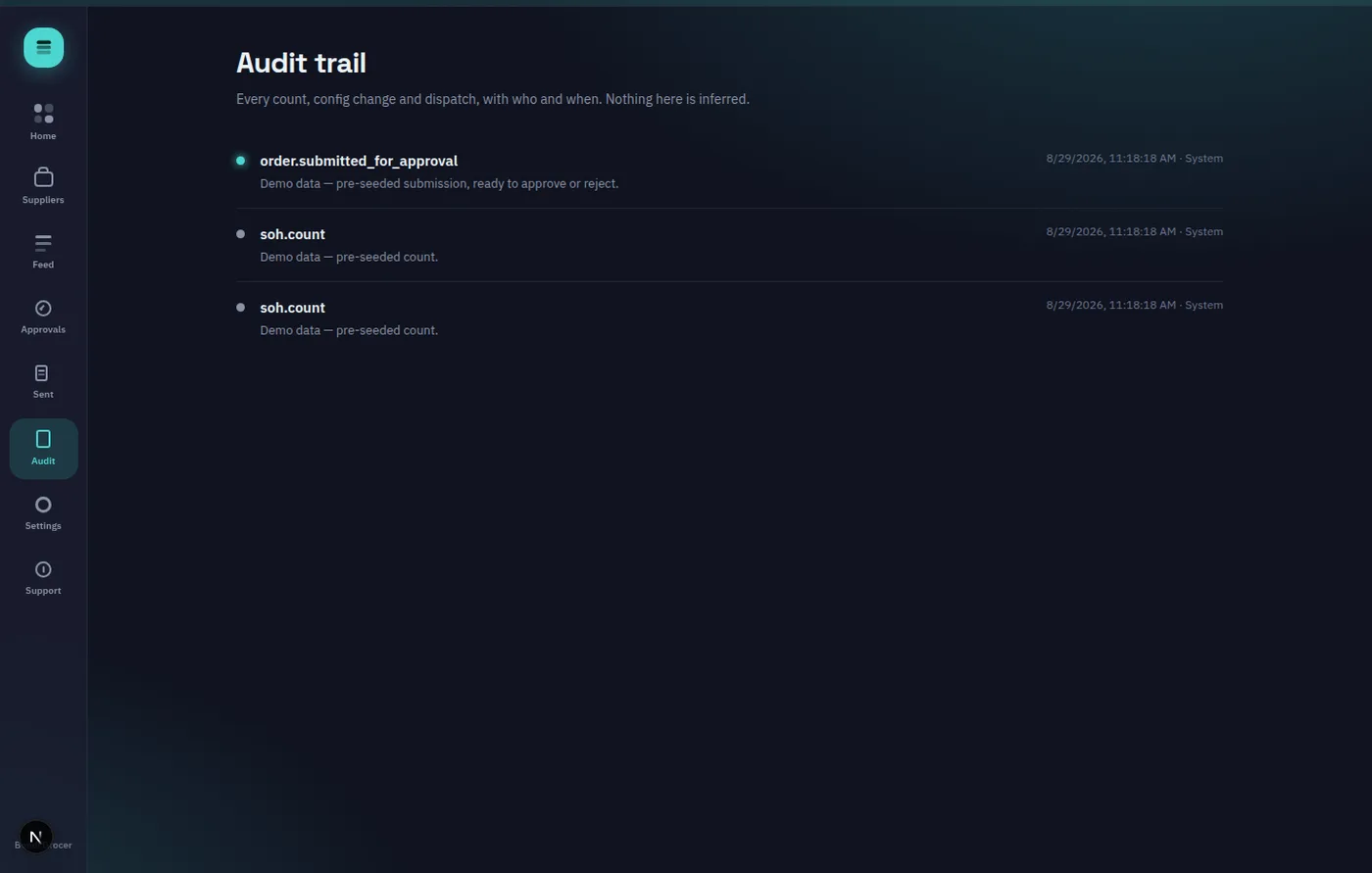
6. An audit trail. Who counted what, who approved which order, when it actually sent — worth having for supplier disputes and general accountability, even if you never expect to need it.
Features you can reasonably skip evaluating hard on
AI-powered forecasting, as a marketing term specifically. Plenty of vendors lead with "AI-powered" without explaining what that means for the actual arithmetic behind your order quantities. A transparent, deterministic calculation — one you could recompute by hand if you wanted to — is often more trustworthy for a small operation than a model you're asked to take on faith. This doesn't mean smarter forecasting has no place; it means the label alone tells you nothing about whether the underlying math is sound.
Enterprise integrations you'll never configure. ERP connectors, EDI support, multi-currency handling — genuinely valuable for large multi-site operations, irrelevant for a single independent store. Don't pay a premium for breadth you won't use.
Elaborate reporting dashboards. Nice to have, rarely decisive. A handful of clear stat tiles (orders due today, at risk, missed) covers what most independent stores actually check day to day.
Marketplace/product-discovery features, unless you're actively trying to find new suppliers through the platform rather than manage existing relationships. If you already know who you buy from, this is dead weight.
A simple test
Before committing to any inventory system, ask the vendor to walk you through exactly how a suggested order quantity is calculated for one real line item, using your own numbers. If they can explain it clearly in under a minute, that's a good sign about the whole product's design philosophy. If it takes a sales deck, that's worth noting too.
Trying it yourself
OnHand's own suggested-quantity math is fully documented and deliberately simple by design — plain arithmetic, no opaque model — and you can see it working against real numbers in the hands-on demo, no signup required. The product homepage lays out the full feature list and pricing tiers plainly, so you can check it against the checklist above yourself rather than take a vendor's word for it.