A store manager checking a stock level and deciding whether to reorder is really answering two separate questions at once, whether they realize it or not: how much do we have, and how much time do we actually have before that matters. Most inventory habits, digital or paper-based, only really answer the first question. The operators getting ahead of margin pressure right now are the ones building processes around the second.
The gap in traditional stock thresholds
Classic inventory advice centers on a reorder point: when stock drops below X units, order more. It's simple, and it's also quietly wrong in a way that's easy to miss. A stock level of "12 units left" means something completely different depending on whether the next delivery from that supplier arrives tomorrow or in ten days. The number on the shelf hasn't changed, but the urgency behind it has changed enormously — and a static threshold has no way to express that difference.
This matters more for independent operators than it might for a large chain, because independent stores typically juggle many suppliers, each running its own cutoff times and delivery cadence — some weekly, some fortnightly, some effectively on their own private schedule. A manager holding all of that in their head, correctly, every single day, is a real cognitive load, and it's exactly the kind of load that quietly breaks down when a store is short-staffed or a manager is on leave.
What "time-aware" actually adds
A genuinely time-aware approach to ordering treats the clock as a first-class input, not an afterthought. It means knowing, for every supplier, exactly which day an order is due, how many days of stock that order needs to cover until the next one, and how much of that cover window has already been eaten into by the time between counts. Two details make this harder than it sounds, and are exactly where naive systems get it wrong.
First, the cover period an order needs to plan for is defined by the next order's lead time and schedule, not the current one — placing a Friday order a day early on Thursday means it has to cover more real time until the following delivery, not less, and a system that doesn't account for that will systematically under-order. Second, that cover window has to be measured from the actual moment the count is taken, not from some fixed scheduled date — an order filed a day late needs to cover correspondingly less time, precisely, down to the hour, not just to the nearest calendar day.
This is a genuinely fiddly piece of arithmetic to get right by hand, which is exactly why it tends to get approximated or skipped in a manual process. A time-aware system does it automatically, every time, without anyone needing to remember the rule.
Why this is becoming a real management priority
Store managers are increasingly prioritizing this not because it's a trendy feature, but because it directly reduces two of the most expensive mistakes in ordering: missing a cutoff entirely, and ordering the wrong amount because the cover period was silently miscalculated. Both mistakes are largely invisible until the moment they cause a real problem — an empty shelf, a menu item pulled, or product sitting unsold past its useful life. A system that quietly gets the timing right prevents that class of mistake before it happens, rather than requiring anyone to notice it after the fact.
There's also a philosophical shift underneath this: the best version of this kind of system isn't the one that alerts a manager about everything, it's the one that stays silent unless something genuinely needs attention. An order that's on track and due today, with nothing at risk, doesn't need a notification — it just needs to show up correctly when someone opens the app. The value is concentrated in the moments something is actually at risk of being missed or arriving late, and a good system reserves its alerts for exactly those moments rather than creating noise a manager learns to tune out.
This is the underlying logic behind how OnHand structures its own due-today and at-risk order tracking — every supplier's cutoff, order day, and delivery day (including non-weekly schedules) is set up once and then computed live against the store's own timezone from that point forward, with the 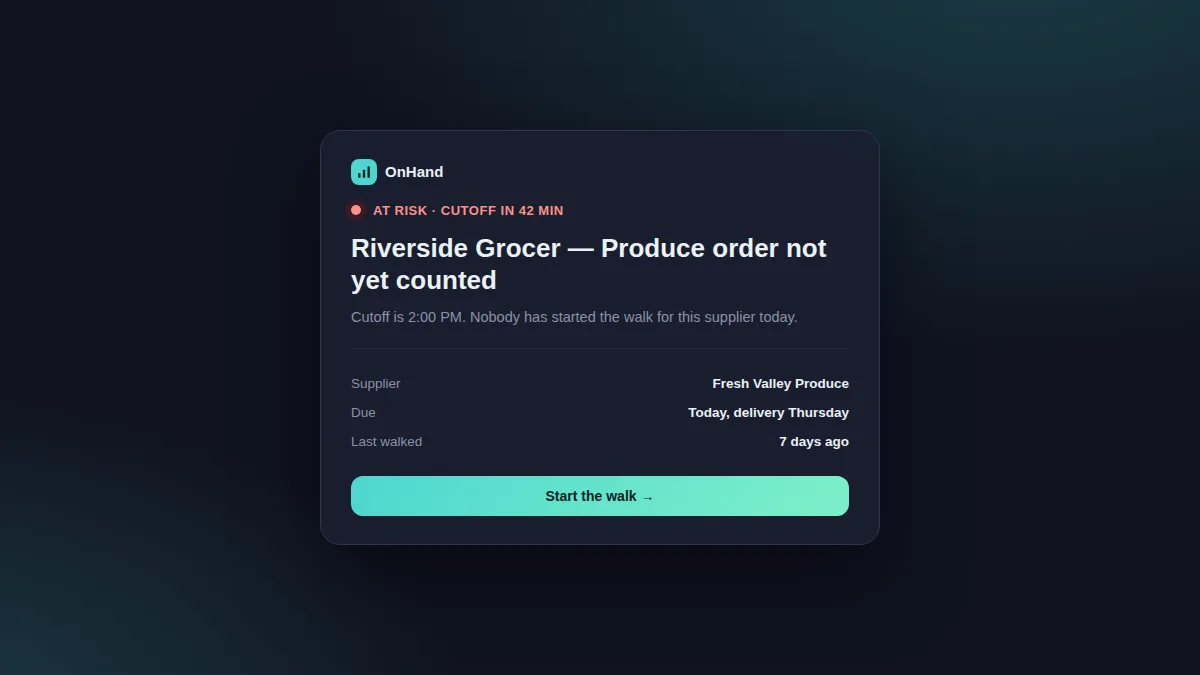 view only surfacing when something genuinely needs a manager's attention.
Time as the missing input
Stock level has always been treated as the headline number in inventory management, and it's not wrong to focus on it — but on its own, it's an incomplete picture. The operators building real advantage into their ordering process right now are the ones who've stopped treating time as background context and started treating it as data, computed precisely rather than estimated loosely. That shift, more than any single feature, is what separates a store that runs its orders reactively from one that runs them on schedule.