Using your POS system's built-in reorder feature isn't free — it just moves the cost off the invoice and into three places you don't usually measure: missed supplier cutoffs, quantity math that doesn't reflect real sales patterns, and manager time spent catching what the system doesn't. None of that shows up as a line item, which is exactly why it's easy to underestimate.
This is worth being precise about, because "just use what's already included" is a genuinely reasonable instinct — you're not wrong that it's cheaper on paper. The question is whether it's actually cheaper once you count what a generic, secondary feature costs you in outcomes.
Why POS ordering modules are built the way they are
Point-of-sale platforms are built, funded, and sold around sales and payments — that's the core product, and it's usually excellent at that job. Ordering and inventory replenishment are typically a bolted-on module, built to check a feature-comparison box against competitors rather than to be the deepest tool on the market for that specific job. That's not a criticism of POS vendors; it's just where their engineering investment actually goes, and it's a reasonable choice for them.
The practical result: POS reorder features tend to be simpler than dedicated ordering tools in three specific ways.
1. Cutoff and schedule handling is usually shallow
Wholesale suppliers often have genuinely different order/delivery schedules — some weekly, some fortnightly, some tied to specific days with specific cutoff times. A POS reorder module frequently treats this as a flat "reorder point" without real per-supplier scheduling logic. The practical cost: an order placed a day late because the system didn't actually know the supplier's cutoff had passed, only that stock was low.
2. Suggested quantities are often static, not sales-aware
Many POS reorder tools work off a fixed par level — "reorder when stock drops below X, order enough to reach Y" — rather than a rolling calculation of actual average daily sales against the real time until the next delivery. That's a meaningful difference: a static par level doesn't adjust for a slow week or a promotional spike, so it quietly over-orders in slow periods and under-orders in busy ones. Neither error is dramatic on its own, but both compound, order after order, supplier after supplier.
3. There's rarely a built-in approval layer
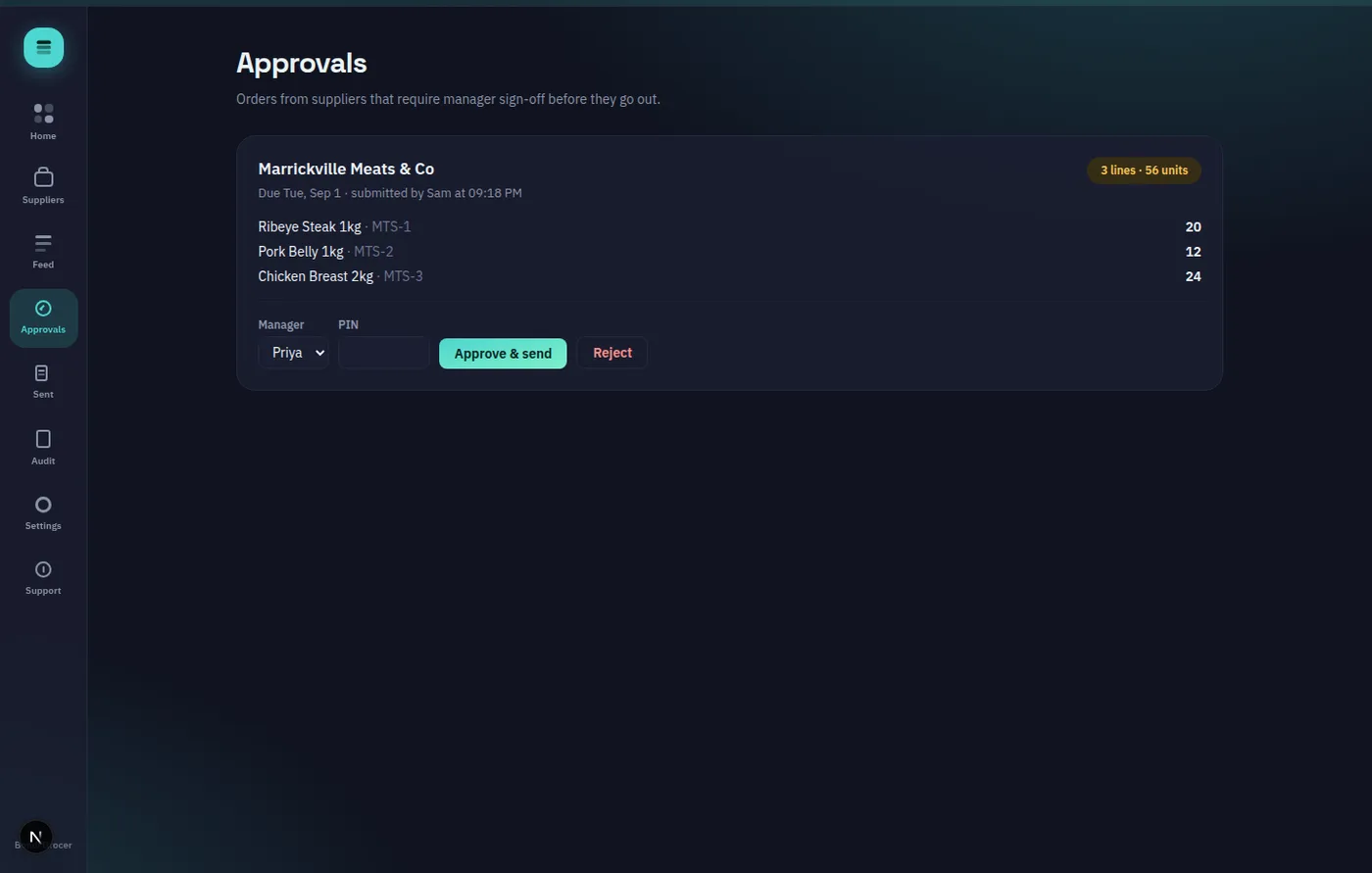
If you want a manager to sign off on the big orders — the expensive meat or seafood line — before it goes out, most POS ordering modules don't have a native, lightweight way to do that per supplier. It ends up as an email, a text, or a walk to the office, which is itself unpaid manager time spent working around a gap in the tool.
What this actually costs, concretely
None of this is a single dramatic failure — it's a slow leak:
- A missed cutoff means an emergency reorder, often at a worse price or with a rush fee
- A static par level over-ordering by even 5-10% consistently is real margin, especially on perishables where the excess is wasted, not just stored
- Manager time spent manually checking or approving orders outside the system is time not spent on the floor
What a purpose-built ordering layer changes
A dedicated ordering tool doesn't replace your POS — it sits alongside it, focused specifically on the supplier side of the job. OnHand, for example, computes suggested order quantities from a deterministic formula (average daily sales × cover days, plus a small fixed safety buffer, rounded to pack size and floored at minimum order quantity) rather than a static par level — and per-supplier cutoff times, including non-weekly schedules, are tracked automatically against your store's own timezone. An optional manager-PIN approval can be switched on per supplier, so the routine bread order flows straight through while the pricier meat order still gets a second set of eyes.
To be fair to POS-based ordering
If your store has one or two suppliers, loose deadlines, and low order values where a few percentage points of over-ordering genuinely don't matter, the gap described above may not be worth solving. POS-based ordering isn't broken — it's a reasonable default for low-stakes, low-complexity ordering. The case for a dedicated tool gets stronger specifically as supplier count, perishability, and order value go up.
How to check this for your own store
Pull your last few months of orders through your POS reorder feature and look for two things: how often an order went out later than it should have, and whether quantities look tied to real sales trends or to a fixed number nobody's revisited in a while. If either one looks off, it's worth a look at what a purpose-built ordering workflow actually does differently — the demo requires no signup and takes about ten minutes to walk through end to end.